
For the people who build their unit’s tools
Build the tool your unit needs. Nothing to install.
Tell the War Factory agent in plain English what you need. It writes the code and tests it on a server, then gives you a link to the working app. You only need a web browser.
War Factory is still in development, and access is by invitation.
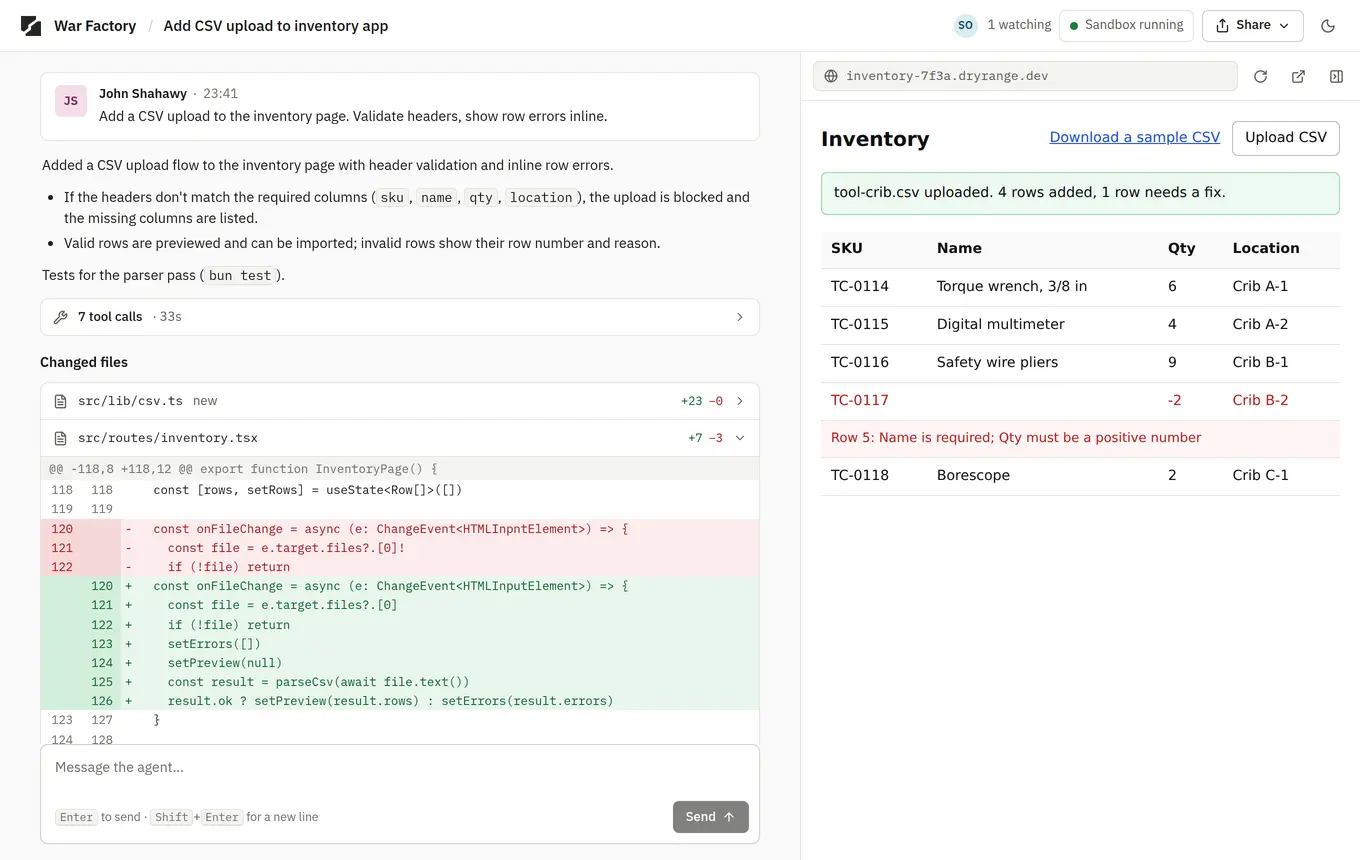
A real War Factory thread. Someone asked the agent to add a CSV upload to an inventory app. The agent made the change and tested it, and the updated app is running on the right.
- The request, and who made it.
- Every command the agent ran, folded into one line you can open.
- The change, as a diff you can read line by line.
- Teammates watching the thread. Any of them can redirect or stop the agent.
- The app, running at its own address.
Screenshot of the War Factory web app running a scripted demo thread with sample data. Not customer work.
What you could build with it.
-
The shop spreadsheet
Upload the spreadsheet the whole shop edits and ask for an app with a form, a search box and a low-stock flag. You get a link to share with the shop.
-
The old Access database
Upload an Access database nobody can open anymore and ask for the same screens as a web app. The agent rebuilds them and writes tests for them.
-
The tool someone left behind
Upload the code and describe what’s broken. You can read the fix line by line, then try the fixed app at its link.
-
The weekly chore
Ask for a script that renames and sorts a folder of scanned forms. Try it on a few sample files first. It tells you which files it skipped and why.
Examples of the work. Not customer stories.
It works on a laptop that can’t install anything.
-
You only need a web browser.
The agent writes and runs code in a sandbox on a server, so nothing gets installed or run on your computer.
-
The agent keeps working after you close the laptop.
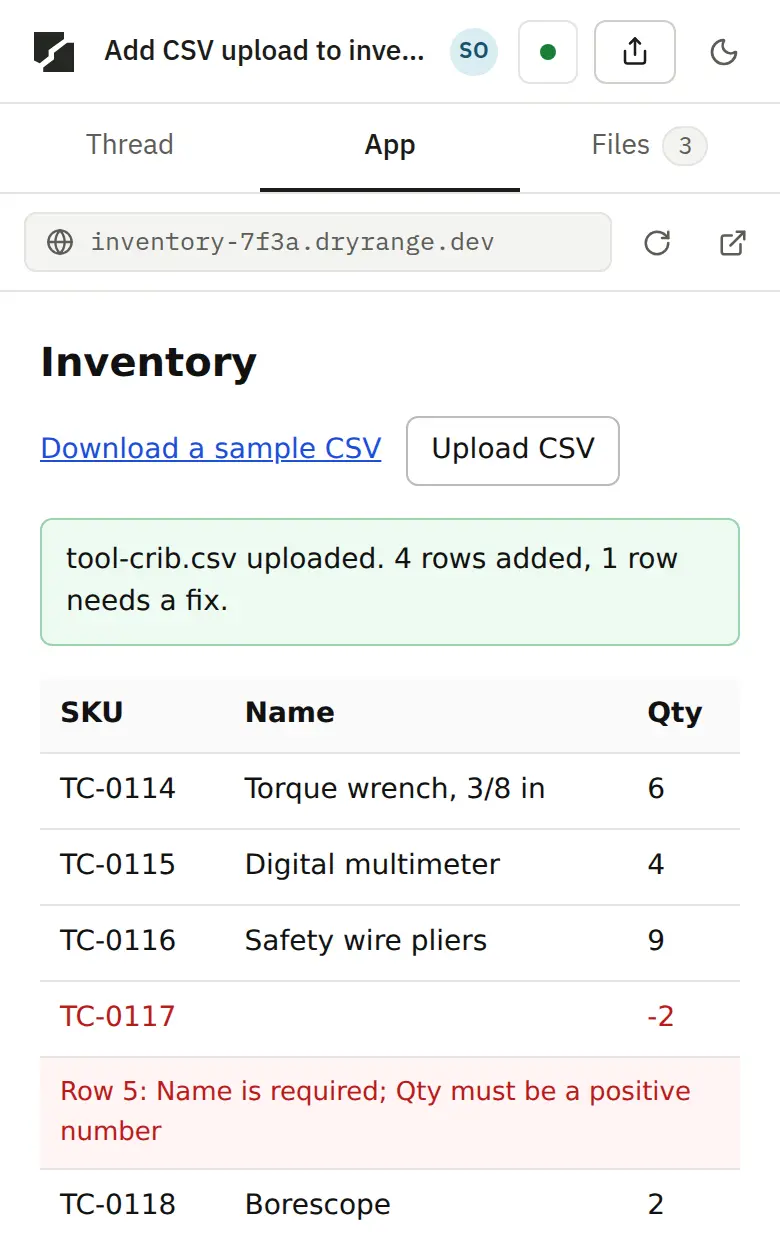
Check on it later from any device, including your phone. Everything you can do on a laptop also works on a phone.
-
Every app gets its own web address.
Each app runs in its own sandbox, on a different domain from War Factory itself. Teammates on the access list can open it.
You can see everything the agent did.
The thread lists each request and who made it, each command the agent ran, and each change it made to the code. You can stop the agent partway through or redirect it. You can share a thread read-only with your boss, or let a teammate work in it with you.
If you write code, you can open the files in the sandbox, read each diff and see the test output. You can review every line before anyone uses the app.
What it can’t do yet.
- No CUI, no PII, nothing controlled. It runs on commercial cloud with commercial AI models. Use sample or public data.
- No connection to your unit’s systems. Apps use only the data you upload or type in.
- Invitation only. It is in development at Irongold, and access is by request.
Irongold is building it to move into a government enclave and onto DoW model endpoints. Neither is available today.
Questions.
- Do I need to know how to code?
- No. You describe what you want in plain words and try the result at its link. If you do code, every change is there to read.
- Will it work on my government computer?
- That’s what it’s designed for. Everything runs on a server, and you only need a web browser. Some networks block new sites. If yours blocks usewarfactory.com or dryrange.dev, say so when you request access.
- What data can I put in it?
- Sample or public data only, for now. No CUI, no PII, nothing controlled.
- Who can see my threads and apps?
- You, and the people you share a thread with. Shares are read-only or read-write, and only people on the access list can open a thread or its app.
- What happens to my app when I’m done?
- It keeps its address. When nobody is using it, its sandbox pauses, and it picks up again when you come back.
- Which AI does it use?
- Commercial models, for now. You connect your own OpenAI Codex or xAI Grok subscription. Irongold plans to add DoW model endpoints.
- Who is Irongold?
- Irongold builds software for defense, and makes War Factory. irongold.ai
Request access.
Leave your work email. Irongold will add you to the access list and email you a sign-in link.
Run a program or a team? Talk to Irongold about bringing War Factory to it.